

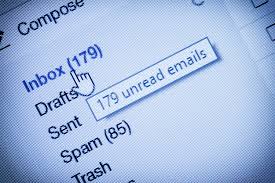
It’s a method of communication we depend on every day, but are you using email as efficiently as possible?
Nothing kills productivity quite like an inbox piled high with unread messages. These 6 top tips will help you clean up your emails, spend less time focusing on new email notifications and ensure your messages are clear and to the point.
1. Unsubscribe to junk emails
Whenever a newsletter or piece of advertising arrives into your inbox that you’re not interested in, hit the unsubscribe button.
If there are newsletters that you do want to read or keep for future reference, set up a rule that automatically files them in an appropriate folder. Read them when you have the time.
Another way to de-clutter is to sign up for the free service called unroll.me. It takes all your subscriptions and sends them to you in one easy to digest daily email.
2. Don’t process your email all day long
Do you look at your inbox every time you hear the ping of an email landing, or see a notification pop up?
A great way to save time is to check your email in batches. The frequency that you check is up to you, but the fewer the better. The best way to make sure you’re not tempted to check all the time is to turn email notifications off.
When you do check your email, try and touch it once. Don’t open it, read it and decide you’ll deal with it later. Ideally it will get a short reply, be deleted, or filed for future reference. Or, can someone deal with it for you? If yes, forward it on.
3. Setting up a meeting? Be specific
It can often take numerous emails going back and forth to fix a date, time and location for a meeting. Cut down on lots of email traffic by providing options and detail upfront. Suggest a couple of specific dates, times and locations from the beginning. Often people aren’t sure which venue would be best, so appreciate any suggestions and leaves them with one less decision to make.
4. Would a phone call be quicker?
It may be that email isn’t the most efficient way to communicate your message. A phone call or text can be a quick alternative, especially if you have a virtual assistant organising appointments on your behalf. They are much more likely to get straight to the point and save you the potential obligatory ten minutes of small talk.
If you arrange a meeting over the phone don’t forget to confirm the arrangement in writing by sending a calendar invite. That way neither party will forget what was agreed.
5. Subject headings
Isn’t it annoying when someone opens an old email and replies with a message that has nothing to do with content? If you find yourself sending numerous emails to the same person you can make life easier by giving each new email a clear subject heading. It’s important that your subject line matches the content. That way if you ever need to search for an email you’ll be able to find it quickly from the heading.
If you don’t require a response, you could make that clear by adding ‘no response necessary’ at the top of an email.
There is a tendency to overuse the ‘high priority’ option when sending email, so its effect is often lost. A better idea is to indicate the urgency or importance in the subject line, for example ‘urgent response required’.
6. Keep it short and sweet
The best emails are those that don’t look overloaded with information and like they’re going to take an age to read and digest. Reading through long paragraphs to find out the purpose of the email can also be frustrating.
State the purpose of the email early on and bullet points are a great way of either asking questions or summarising what’s required of the recipient. Be clear and be upfront.
FYI – if it’s just for information, say so at the beginning!
How do you use email to best effect? I’d love to hear your thoughts?
Leave a Reply
You must be logged in to post a comment.